Showing posts with label Spelling. Show all posts

Digital Spelling Tests

With all the crazy happening with the Coronaviris and education moving to online, I was asked how to do a digital spelling test.

You can find the link to my Google Form for spelling tests here.  PLEASE MAKE YOUR OWN COPY.  You are welcome to edit it to make it your own, but please make a copy before editing.
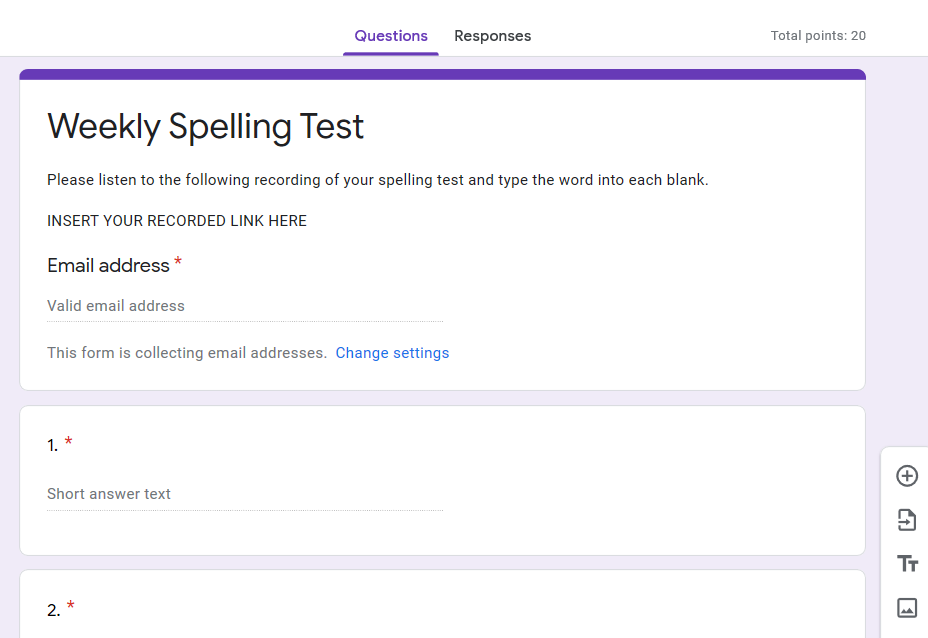


This form is set up for 20 spelling words.  It is also set up to collect student email addresses.  I have set mine so that students can only submit one test.  You can change this on your copy under the settings.  I also require students to type in their first and last name.  Our district emails only include the students' first name, so if you have multiple students with the same name, it makes it difficult to know whose is whose.  I do not give points for this, but the form will not allow students to submit if this section is not filled in.

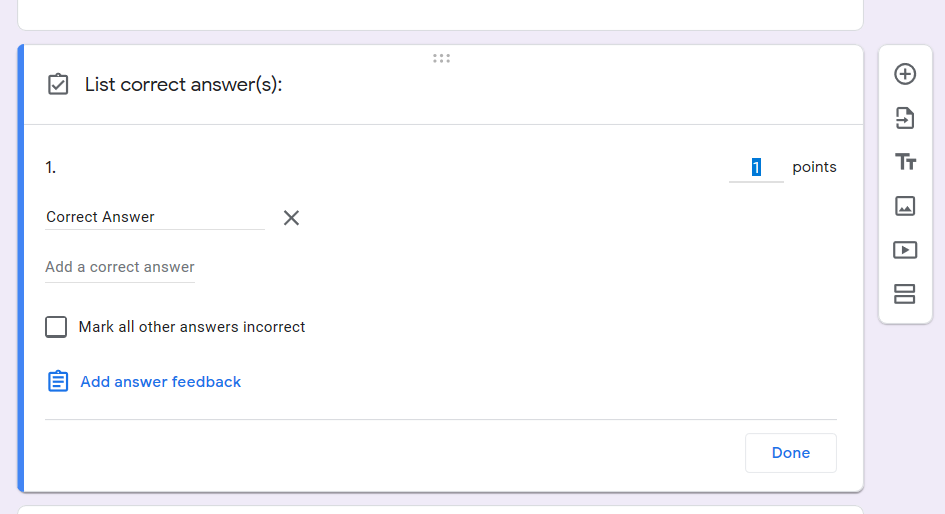
You will need to go into each blank and put the correct answer in if you want Google Forms to grade it for you.  In my own experience, you need to put both the uppercase and lowercase spellings of the word in order for it to be marked correct.  Obviously, if it is a proper noun, then only count the uppercase spelling correct.  To do this, click the question and then click "Answer Key."  You can adjust the point settings and the type in the correct answer.  You will want to check the box that says "Mark all other answers incorrect."  This is why it is important to put in any answer that you are willing to accept.  I usually go back and double check students' tests because there can be ones that are correct that get marked wrong.  I have rarely caught it, but this is technology and "technology happens."

Next, you will need to voice record yourself giving the spelling test.  This is the voice recorder I use.  I don't usually use this for spelling tests.  I usually use this for reading comprehension.  This allows my students access to the text.  Think EL and SPED students.  This is a great digital accommodation.  In Arizona, if this accommodation is provided throughout the school year, it can also be used on state testing.  This also allows students to listen to the test as many times as they need to (think about how many times they ask you to repeat a word in the classroom).


Once you finish your recording, download it to your computer and upload it to your Google Drive.  Grab the link from Google Drive (like you were sharing the file) and copy and paste it into the form.

This is how I would give a spelling test digitally, but it is totally up to you how to do it.  You can play around with the settings and colors if you would like once you have made your own copy.  I am by no means an expert with this, but I will do my best to assist you.

Feel free to share this link with other teachers.  Good luck!


Word Study

This school year, we adopted a new reading program.  We adopted Wonders from Mcgraw Hill.  I was on the committee that selected this program.  I was very surprised by some of the "curriculum" that was submitted for us to review.  It was clearly not written by someone who had ever been in the classroom.  Other submissions, we not too bad.  In the end, the district went with Wonders.  And here we are.

If you are familiar with Wonders, there are quite a bit of components to it.  This post is going to focus on spelling/word study specifically and how I have implemented it into my classroom.

Each week, students will get one page back-to-back.  This can be done whole class, in a center, small group, or independently.  In the beginning, we did this whole group, so that students could learn the routines and expectations.  Now students know that when we transition, to get started on it.  I walk around and do a spot check throughout the week.  As the skills get harder (less review), I may pull them into whole group on Day 1 to ensure they understand the skill.  In addition to this worksheet, I do mini-lessons.


Each page has the core spelling words.  The weekly skill is labeled each week.   Students need to know the skill and be able to identify the spelling pattern so that they can use it outside the spelling test.


Day one is usually some sort of word sort so that students can identify the spelling patterns.  I make them underline the pattern in each word and the spell it aloud as they write it in the correct column.

Day 2 is usually matching definitions to the words.

Day 3 is a fill in the blank so that students can gain contextual meaning of the words.

Day 4 is an editing day to reinforce the correct spelling in context.

Day 5 should be the spelling test, so there is no word study that day.

People ask me why I labeled it by days and not Monday through Friday.  I started the year by labeling it Monday though Friday, but then we had a holiday and it confused the students.  If the students know what day in the cycle we are one, they can see what section we are working on.  In addition, it lines up with our small group worksheet that I will have to share in a future post.

Even if you do not use Wonders, how do you teach spelling/word study?


Grab my Wonders Word Study in my TPT store.  I have it broken down by units (5 weeks each) or the full year (6 units of 5 weeks each).  Wonder's does not do spelling in the 6th week of the unit.  This would be a good time to review spelling skills that were taught within that unit.


01 09 10